Altek Drafting Table ACT 36048: Complete Buyer’s Guide for 2025
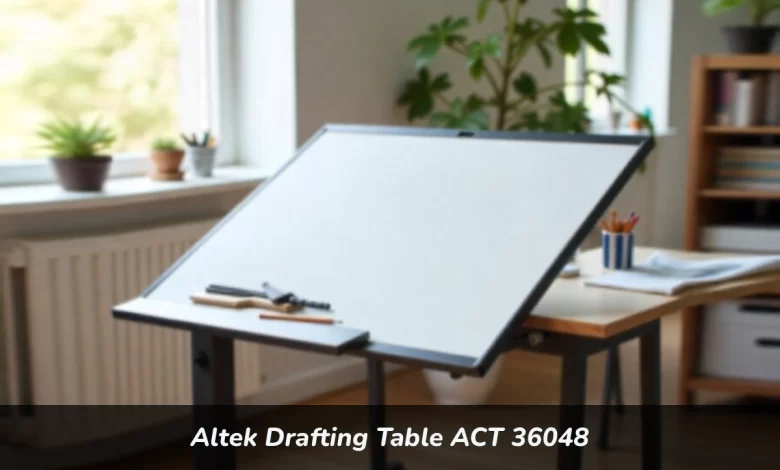
The Altek Drafting Table ACT 36048 is a professional-grade drafting table featuring adjustable tilt up to 45 degrees, heavy-duty metal frame construction, and a 50-pound weight capacity. Designed for architects, engineers, and artists, it combines stability with ergonomic flexibility for precise technical work and creative projects.
Are you tired of working on unstable surfaces that wobble during critical design work? The Altek Drafting Table ACT 36048 addresses this problem head-on. Whether you’re an architecture student, home-based professional, or serious hobbyist, finding a drafting table that balances quality with affordability can feel impossible.
This guide walks you through everything you need to know about the ACT 36048. You’ll discover its key features, understand who benefits most from this table, and learn whether it’s the right investment for your workspace.
Why the Altek Drafting Table ACT 36048 Stands Out
The drafting table market is growing rapidly. According to market research, the adjustable drafting table segment was valued at approximately $485 million in 2024 and is expected to reach $742 million by 2033, with a compound annual growth rate of 4.8%. This growth reflects the increasing demand for specialized home office furniture as remote work continues to reshape how professionals set up their workspaces.
The ACT 36048 earns its place in this competitive market through three core strengths: stability, adjustability, and durability.
The heavy-duty metal frame provides rock-solid support. You can lean into detailed ink work without worrying about surface movement. The scratch-resistant tabletop withstands years of use from pencils, T-squares, and compasses. This build quality separates it from budget models that sacrifice performance for price.
The adjustable tilt mechanism allows smooth angle changes up to 45 degrees. You can lock your preferred position securely, whether you’re drafting blueprints or working on digital illustrations. Height adjustments accommodate both seated and standing work positions, giving you flexibility throughout the day.
Core Features That Matter for Daily Work
Tilt and Height Adjustment System
The tool-free adjustment mechanism makes positioning changes quick and simple. You don’t need to fumble with wrenches or complicated locking systems. Adjust the angle, lock it in place, and get back to work.
The height range suits different body types and working preferences. This matters more than you might think. Proper workspace height reduces strain on your neck, shoulders, and back during extended work sessions.
Construction Quality
The combination of a high-quality steel frame and a robust wood composite top creates a table that handles professional demands. The frame eliminates flex, which is crucial for precision work. When you’re drawing a critical line or using drafting instruments, any movement in the surface can ruin your accuracy.
The surface treatment resists scratches and wear. After months or years of use, your table still looks and performs like new. This durability justifies the investment compared to cheaper alternatives that show wear quickly.
Workspace Design
The generous surface accommodates large-format papers and multiple tools without feeling cramped. You have room to spread out blueprints, keep reference materials nearby, and position your primary work area comfortably.
A full-width pencil ledge keeps essential tools within reach. This simple feature reduces clutter on your main work surface and saves time. You’re not constantly reaching for pencils or brushes that roll away.
The table works seamlessly with standard drafting accessories. Attach parallel bar systems, drafting lamps, or other equipment without custom modifications. This compatibility matters when you’re building a complete drafting setup.
Who Benefits Most From This Table
Architecture and Engineering Students
Students need professional-level tools without professional-level prices. The ACT 36048 provides the stability and features required for demanding coursework. You can tackle complex technical drawings with confidence.
The table supports both traditional drafting and digital work. Set up a tablet for CAD software or work with physical paper. This flexibility serves you well as course requirements change.
Home-Based Professionals
Remote work reshaped the professional workspace. The drafting table market is growing partly because more professionals need dedicated home office setups. The increasing trend of home offices is driving market growth across the drafting table segment.
The ACT 36048 gives you a studio-quality foundation at home. It looks professional on video calls while delivering the performance you need for client work. The investment in proper equipment pays off in increased productivity and reduced physical strain.
Ergonomic workspace design significantly impacts remote worker health. Research shows that proper ergonomics can reduce musculoskeletal disorders and eye strain while improving general well-being. The adjustable features of the ACT 36048 let you maintain a healthy posture throughout your workday.
Serious Artists and Hobbyists
Whether you work in technical illustration, fine art, or detailed craft projects, this table supports extended creative sessions. The ergonomic benefits reduce fatigue, letting you focus on your work instead of discomfort.
The adjustable angle helps you find the perfect position for different techniques. Painting, inking, and sketching each benefit from a slightly different surface angle. Quick adjustments let you switch between tasks efficiently.
Setting Up Your Workspace for Success

Assembly Process
Assembly typically takes 45 to 60 minutes. The key is working on a flat surface and following a logical sequence. Assemble the base frame first, but don’t fully tighten all bolts until the entire structure is together. This approach ensures perfect alignment.
The instructions are straightforward. You don’t need advanced technical skills or specialized tools. Basic hand tools and attention to detail get the job done right.
Ergonomic Positioning
Your elbows should bend at a 90-degree angle when drawing. The work surface should sit at eye level to prevent neck strain. These positioning principles apply whether you’re sitting or standing.
Pair your table with a quality adjustable stool. The chair matters as much as the table for maintaining good posture. Your feet should rest flat on the floor or a footrest, with your back supported.
Lighting Considerations
Proper lighting is not optional. An adjustable LED task lamp clamped to the table’s edge provides shadow-free illumination. This protects your eyesight during evening work sessions and ensures color accuracy.
Position your light to avoid glare on the work surface. The lamp should illuminate your work area without reflecting into your eyes or creating harsh shadows.
Comparing Value Against Competitors
Budget Tables Under $200
Cheap tables use particleboard and thin metals. They wobble during use and degrade quickly. You’ll spend more replacing low-quality equipment than investing in a solid table initially.
The ACT 36048 costs more upfront but delivers years of reliable performance. This makes it a better value over time.
High-End Professional Models
Brands like Mayline offer advanced features such as electric height adjustment. These tables cost two to three times more than the ACT 36048. For most users, manual adjustments work perfectly well.
The ACT 36048 occupies a sweet spot. You get professional-grade stability and features without paying for capabilities you don’t need.
Long-Term Maintenance and Care
With proper care, your table can easily last a decade. Clean the surface regularly with a damp cloth. Avoid abrasive chemicals that might damage the finish.
Every six months, check and tighten the bolts and adjustment knobs. This simple maintenance keeps the table stable and smooth-operating. Think of it like maintaining a musical instrument. Regular care ensures peak performance when you need it.
The scratch-resistant surface handles normal use well, but avoid dragging sharp metal objects across it. Use cutting mats when needed. These small precautions extend the table’s lifespan significantly.
Making the Investment Decision
The ACT 36048 bridges affordability and professional performance successfully. It’s a thoughtfully designed piece that serves as the reliable core of your workspace.
Consider your specific needs. If you work several hours daily on detailed projects, the ergonomic benefits alone justify the cost. Reducing back and neck strain improves your quality of life beyond the workspace.
The table’s versatility means it adapts as your needs change. Today’s architecture student becomes tomorrow’s professional. The ACT 36048 grows with you.
Final Thoughts
Your workspace affects everything you create. The right furniture doesn’t just support your work, it enables better performance and protects your health.
The Altek Drafting Table ACT 36048 delivers daily value through stability, comfort, and durability. It’s not the cheapest option available, but it’s a smart investment for anyone serious about their craft.
Whether you’re starting your professional journey or upgrading an existing setup, this table provides the foundation for productive, comfortable work. The combination of professional features and reasonable pricing makes it worth serious consideration for your workspace needs.
FAQs
What is the actual weight capacity?
The table handles up to 50 pounds comfortably. This accommodates all standard drafting materials, equipment, and even digital tablets with accessories.
Do you need tools for angle adjustments?
No. Both height and tilt mechanisms use tool-free adjustments. You can make changes quickly throughout your workday without interrupting your workflow.
What warranty coverage is included?
The manufacturer provides a one-year warranty covering defects. This protection gives you peace of mind about your investment.
Can digital workers use this table effectively?
Absolutely. The stable surface supports tablets, laptops, and digital drawing equipment. Many professionals use it for hybrid setups combining traditional and digital tools.
How much space does it require?
The table’s compact design fits smaller studios and home offices. Measure your available space before purchasing, ensuring room for comfortable movement around the table.