Problem in MCWV4512Z Model: Complete Troubleshooting Guide
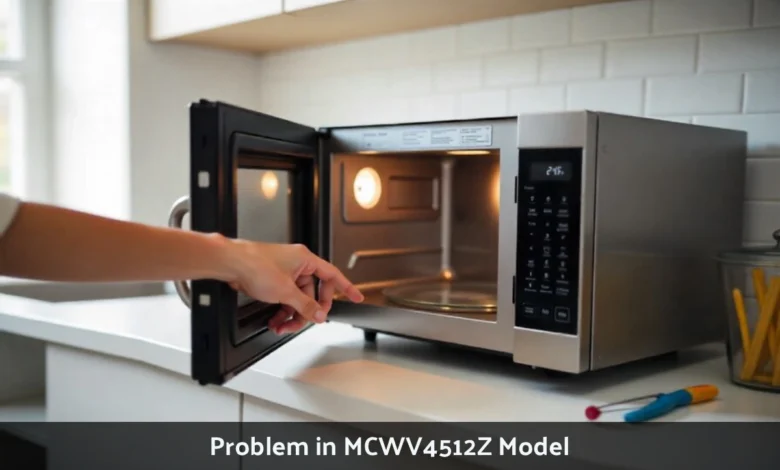
The MCWV4512Z microwave commonly experiences power failures, heating malfunctions, door sensor errors, turntable issues, and control panel glitches. Most problems stem from blown fuses, faulty magnetrons, misaligned door latches, or control board failures. Many issues can be fixed at home with basic tools and safety precautions.
Why Your MCWV4512Z Keeps Failing
Your MCWV4512Z looked perfect when you bought it. Now it refuses to heat properly, or worse, won’t turn on at all. You’re not alone. Thousands of users report recurring issues with this model, ranging from minor annoyances to complete breakdowns.
The MCWV4512Z delivers 1100-1200 watts and features sensor cooking technology. But these advanced features mean more components that can fail. Understanding what breaks and why helps you decide whether to fix it yourself or call a technician.
This guide walks you through every major problem owners face, explains what causes each issue, and provides step-by-step fixes you can try at home.
Power Failures and Won’t Turn On
What You’ll See
You press the power button. Nothing happens. No lights, no sounds, no display. The microwave sits dead on your counter.
Users report sudden power failures where the unit occasionally fails to turn on or powers off during use. This ranks as the most frustrating problem because your microwave becomes completely useless.
What Causes This
Short circuits, electronic control board failure, poor wire connections, or faulty thermal fuses and switches cause most power issues. When voltage surges hit your home, they can blow the internal fuse. Overheating triggers the thermal fuse to cut power as a safety measure.
The control board processes every command. When it fails, nothing works. Age, moisture, and electrical spikes damage this component over time.
How to Fix It
Start with the easiest checks:
- Test your outlet – Plug in another appliance. If it works, your outlet is fine.
- Check the circuit breaker – A tripped breaker cuts power to the outlet.
- Examine the power cord – Look for damage, burns, or loose connections.
For internal fixes:
Unplug the microwave, remove the outer cover (if you’re confident and safe to do so), and examine the thermal fuse and line fuse. A blown fuse looks burned or broken. Replace it with an exact match. These parts cost $5-15 online.
Warning: Opening your microwave exposes you to high-voltage components. If you’re not comfortable with electrical work, call a technician.
Heating Problems and Cold Food
What You’ll See
The microwave runs. The turntable spins. The timer counts down. But your food stays cold or heats unevenly. You find cold spots in your leftovers or lukewarm coffee after two minutes.
Users often complain that the microwave heats food unevenly or not at all, which is one of the core performance issues. This problem develops gradually or strikes suddenly.
What Causes This
A defective magnetron may be to blame, as it is the central unit that produces the microwave energy. The magnetron converts electrical energy into microwaves. When it fails, the microwave can start, but the food still would be cold.
High-voltage components wear out faster with heavy use. Running your microwave empty damages the magnetron. Power surges shorten its lifespan.
How to Fix It
Simple test: Try heating water in a microwave-safe container for 60 seconds. If the water stays cold, the magnetron might have failed.
Professional service is recommended for replacing high-voltage components. A new magnetron costs $50-150, but installation requires technical expertise and safety equipment.
Check these first:
- Clean the waveguide cover (the mica plate inside)
- Ensure proper ventilation around the unit
- Verify the door closes completely
If basic cleaning doesn’t help and water stays cold, you need professional repair or replacement.
Door Sensor Errors and Won’t Start
What You’ll See
You close the door firmly. Press start. Nothing. The display shows “door open” even though you can see the door is shut. The microwave refuses to run.
A faulty door sensor is another prominent problem, where users press the “Start” button and the microwave refuses to run, displaying a warning like “door open” even when the door is shut.
What Causes This
Door problems are usually caused by the misalignment of the door switch or the latch mechanism, both of which are essential to safety. Daily use wears down the latch. Food debris blocks the sensor. The door switches become displaced or damaged.
Microwave doors contain 2-3 safety switches. If one fails, the unit won’t operate. This protects you from radiation exposure.
How to Fix It
Try these steps in order:
- Clean the latch area – Clean the latch and ensure no food debris is stuck. Use a damp cloth and mild soap.
- Check door alignment – Gently push the door to ensure it’s closing fully. The door should sit flush against the frame.
- Listen for clicks – A working latch makes distinct clicking sounds when closing.
For deeper fixes:
Crack open the microwave and examine the latch switches, placed in a position close to the latch area. There are typically two or three microswitches. Replace cracked, loose, or displaced switches with exact matches. Maintaining microwave safety standards requires proper replacements.
This safety feature is crucial for preventing exposure to microwave radiation, so any door-related issues should be addressed promptly.
Turntable Not Rotating
What You’ll See
The microwave heats, but the glass plate doesn’t move. Food cooks unevenly. You notice hot and cold sections in the same dish.
Another physical problem is the failure of the turntable to rotate, though the microwave may still heat. Uneven cooking occurs when the turntable stops spinning.
What Causes This
A non-turning turntable might indicate motor breakage, a slipped belt, or a minor issue such as the glass tray being misplaced. The motor under the turntable drives rotation. Software failures in the control board can also affect rotation signals.
How to Fix It
Start simple:
- Check the glass tray – Remove and realign the turntable. Make sure it sits properly on the support ring.
- Inspect the support ring – This plastic ring must roll freely. Replace if cracked or warped.
- Test the motor – Listen for motor noise; if there is none, the motor may have burned out.
Regarding turntable issues, the glass tray needs to be removed to check the motor coupler; turn it with your bare hands to know whether it is stuck or jammed.
Replace the motor if necessary (check the warranty before attempting to do so yourself). Motors cost $20-40 and require removing the bottom panel.
Occasionally, resetting the microwave by unplugging the device and letting it stand for 10 minutes is sufficient to resolve minor glitches that affect the turntable.
Control Panel Malfunctions
What You’ll See
Some users have reported strange behavior from the control panel, including random beeping, unresponsive buttons, and error codes not found in the manual. Buttons don’t respond when pressed. The display shows random numbers or symbols. Beeping won’t stop.
What Causes This
These digital malfunctions are a growing problem, especially after prolonged usage. Moisture seeps behind the membrane switches. The main PCB develops connection issues. Power fluctuations damage sensitive electronics.
How to Fix It
Try these solutions:
- Clean the panel – Wipe the panel with a gentle, dry cloth to remove any moisture or food particles.
- Reset the unit – Unplug the unit for 10 minutes to reset the control board.
- Check for error codes – Refer to the user manual to understand what the error entails.
In most Whirlpool microwaves, there is an option to restore the settings. You may restart in hard mode by disconnecting the device for a few minutes and then reconnecting it.
If the issue persists, consider replacing the main PCB or display panel. This repair typically costs $100-200.
This issue may not be dangerous, but it is highly frustrating for users who rely on the microwave for quick use.
Overheating and Auto Shutdown
What You’ll See
The unit may automatically shut down in the middle of a heating cycle, particularly after prolonged use or when used consecutively. The microwave stops after 30 seconds. You smell hot electronics. The exterior feels unusually warm.
What Causes This
Overheating triggers the thermal cutoff switch. Blocked ventilation prevents proper cooling. Dust buildup insulates heat-generating components. Running multiple cycles back-to-back strains the system.
How to Fix It
Prevention works better than repair:
- Ensure that the ventilation holes are not obstructed, which can cause the microwave to overheat
- Clean vents monthly with a vacuum
- Allow 3 inches of clearance on all sides
- Let the unit cool between heavy use cycles
Do not run the microwave when it is empty, as this strains the magnetron. An empty operation forces components to absorb the microwave energy, causing overheating and damage.
If shutdowns persist after clearing vents, the thermal sensor may need replacement.
Preventive Maintenance Tips
To prevent recurring problems with the MCWV4512Z, follow general microwave maintenance tips.
Daily Care
The interior should always be clean, as some leftover food may splatter inside and damage specific sensors. Wipe spills immediately. Steam from food can seep into electronics.
Door Care
Always avoid slamming the door closed, as it can cause the latches to become misshapen over time. Close gently but firmly. Check door seals monthly for cracks or food buildup.
Power Protection
It is prudent to equip yourself with a voltage stabilizer if you reside in an area where the power is often unstable, as this will prevent the destruction of internal circuits. Surge protectors cost $15-30 and save hundreds in repair costs.
Ventilation
Clean air filters monthly. Dust and grease buildup reduce efficiency and cause overheating.
When to Call a Professional
Suppose your problem with the microwave cannot be fixed with the solutions above, or you are not comfortable working with electrical components. In that case, you should contact Whirlpool’s customer care or a certified professional.
Call a technician if you notice:
- Sparking or burning smells
- Visible damage to internal wiring
- Cracked magnetron or capacitor
- Persistent errors after basic troubleshooting
When unplugged, most of the internal components of the microwave are at high voltage, posing a safety threat. High-voltage capacitors hold dangerous charges even after unplugging.
Before performing any repair, it is also advisable to verify that there is no warranty coverage on the product; otherwise, opening the unit may void the warranty coverage.
Frequently Asked Questions
What’s the most common problem with MCWV4512Z?
Power failures and heating issues top the list. Most stem from blown fuses or magnetron failure.
Can I fix my MCWV4512Z myself?
Simple fixes like cleaning latches or replacing fuses work for home repair. High-voltage components require professional service.
How long should my MCWV4512Z last?
With proper maintenance, expect 7-10 years. Heavy use and power surges shorten the lifespan.
Is it worth repairing, or should I replace it?
If repair costs exceed 50% of replacement value, buy new. For simple fixes under $50, repair makes sense.
How do I prevent these problems?
Keep it clean, ensure proper ventilation, use surge protection, never run empty, and close the door gently.